
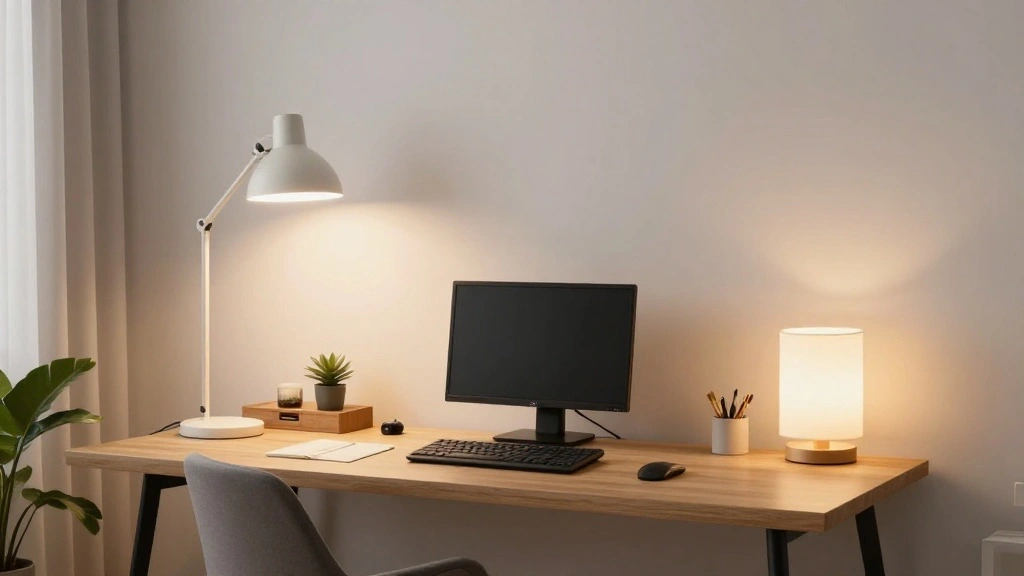
Are you struggling to find the right balance of light in your home office? Too much glare can lead to headaches, while too little can leave you feeling sleepy and unproductive. The way you light your workspace can greatly affect your mood and productivity. Layering your lighting is a powerful solution to create a well-lit, inviting space that enhances your focus and creativity.
In this guide, you will learn how to effectively layer your lighting by combining ambient, task, and accent lighting. By the end, you’ll have a beautifully illuminated home office that fosters creativity and productivity. This guide is designed for beginners, so you don’t need any prior experience. Expect to spend approximately 2-3 hours on this project.
Lighting is not just about visibility; it’s about creating an environment that inspires you to work. Get ready to transform your workspace!
Contents
- TL;DR Summary
- Prerequisites/Materials Needed
- Skill Level & Time Estimate
- Step 1: Assess Your Space
- Step 2: Choose Your Ambient Lighting
- Step 3: Add Task Lighting
- Step 4: Incorporate Accent Lighting
- Step 5: Control Your Lighting
- Step 6: Optimize Natural Light
- Step 7: Evaluate and Adjust Lighting
- Step 8: Maintain Your Lighting Setup
- Step 9: Personalize Your Lighting
- Pro Tips
- Common Mistakes to Avoid
- Troubleshooting Section
- Variations/Alternative Methods
- FAQs
TL;DR Summary
- Understand the importance of layered lighting in your home office.
- Learn about ambient, task, and accent lighting.
- Follow a step-by-step guide to implement effective lighting solutions.
- Transform your workspace into a well-lit, productive environment.
Prerequisites/Materials Needed
- Light Sources:
- 1 Ambient light source (ceiling light or floor lamp)
- 1-2 Task lights (desk lamp or adjustable lamp)
- 1-2 Accent lights (decorative lamps or LED strips)
- Light Bulbs:
- LED or CFL bulbs (warm white and cool white)
- Light Switches:
- Dimmers (optional, for adjusting brightness)
- Tools:
- Screwdriver
- Measuring tape
Skill Level & Time Estimate
Skill Level: beginner
Time Estimate: 2-3 hours
Step 1: Assess Your Space

Begin by evaluating your home office’s size and layout. This matters because understanding your space helps you determine the type and quantity of lighting needed.
- Measure the dimensions of your office.
- Identify the locations of windows for natural light.
- Take note of existing light fixtures and their positions.
Pro Tip: Consider how the light changes throughout the day, as this will affect your choices.
Time: 20-30 minutes
Step 2: Choose Your Ambient Lighting

Next, select your ambient lighting, which provides overall illumination. This is key to ensure your office feels bright and welcoming.
- Choose a ceiling fixture or floor lamp that can distribute light evenly.
- Decide on the color temperature (warm or cool) based on your preference.
- Install the fixture if necessary, following the manufacturer’s instructions.
Warning: Always turn off the power at the circuit breaker when installing or changing light fixtures.
Time: 30-45 minutes
Step 3: Add Task Lighting

Task lighting is crucial for focused activities like reading or writing. Choosing the right task lighting ensures you can work effectively without straining your eyes.
- Select one or two task lights based on your workspace needs (desk lamp, adjustable lamp).
- Position the task light on your desk, ensuring it provides direct light to your work area.
- Check that the light is adjustable for flexibility.
Pro Tip: Use bulbs with a color temperature of 4000K-5000K for task lighting, as they mimic daylight and reduce eye strain.
Time: 20-30 minutes
Step 4: Incorporate Accent Lighting

Accent lighting adds visual interest and can highlight specific areas or decorations. This enhances the overall aesthetics of your office.
- Select accent lights, such as small lamps or LED strips.
- Position them to highlight artwork or plants in your office.
- Ensure the accent lights complement the overall color scheme.
Warning: Avoid placing accent lighting directly in your line of sight to prevent glare.
Time: 30 minutes
Step 5: Control Your Lighting

Implementing controls like dimmers can transform your workspace. This is essential for adjusting light levels based on different times of day or tasks.
- Purchase dimmer switches compatible with your light fixtures.
- Follow the manufacturer’s instructions to install the dimmers.
- Test the dimmer settings to find your preferred light levels.
Pro Tip: Use smart bulbs or smart plugs for added flexibility in controlling your lighting from your phone.
Time: 30-45 minutes
Step 6: Optimize Natural Light

Maximizing natural light can greatly enhance your workspace ambiance. This matters because natural light boosts mood and productivity.
- Clear any obstructions blocking windows.
- Use sheer curtains to diffuse light without blocking it.
- Position your desk near windows to take advantage of daylight.
Warning: Avoid glare on your screens by positioning them perpendicular to windows.
Time: 20-30 minutes
Step 7: Evaluate and Adjust Lighting

After implementing your lighting plan, evaluate how it functions throughout the day. This is crucial for ensuring your workspace meets your needs.
- Observe how the different types of lighting work together.
- Adjust the position of lamps or fixtures if necessary.
- Consider adding additional light sources if areas feel dark.
Pro Tip: Keep a notepad to jot down any changes you want to make after a few days of use.
Time: 15-20 minutes
Step 8: Maintain Your Lighting Setup

Regular maintenance ensures your lighting continues to function effectively.
- Clean light fixtures and bulbs to remove dust and grime.
- Check that all bulbs are functioning and replace burned-out ones.
- Adjust any fixtures that may have shifted over time.
Warning: Always turn off the power before cleaning or changing bulbs.
Time: 15-20 minutes
Step 9: Personalize Your Lighting

Finally, infuse your personality into your lighting setup. Personalizing your space can make it more enjoyable to work in.
- Choose decorative lamps that reflect your style.
- Incorporate colored LED lights for mood enhancement.
- Add personal touches like photos or artwork illuminated by your accent lighting.
Pro Tip: Changing the color temperature of your bulbs can create different moods for productivity or relaxation.
Time: 30 minutes
Pro Tips
- Layering is Key: Always combine different types of lighting for the best effect.
- Smart Technology: Use smart bulbs for remote control and scheduling.
- Color Matters: Use warmer tones for relaxation and cooler tones for focus.
- Lighting Placement: Place lights at different heights to create a balanced look.
- Experiment: Don’t hesitate to try different combinations until you find what works best.
Common Mistakes to Avoid
Warning:
- Choosing only one type of lighting; it leads to an unbalanced space.
- Ignoring natural light; it’s a free resource that enhances mood.
- Placing task lights too far away; it reduces their effectiveness.
Troubleshooting Section
Problem: The room feels too dark.
Solution: Add more task or accent lighting where needed.
Problem: Glare on the computer screen.
Solution: Adjust the position of task lights or use diffused light sources.
Problem: Bulbs burn out quickly.
Solution: Ensure you are using the correct wattage and type for your fixtures.
Variations/Alternative Methods
- Solar Tubes: Great for natural light if you can’t install windows.
- Smart Lighting Systems: For remote control and automation of your lighting setup.
FAQs
- What if I don’t have a ceiling fixture? Consider using floor lamps and table lamps to create ambient light.
- How long should I leave my task lighting on? Ideally, keep it on only when you’re working to save energy.
- Is it safe to use multiple power strips for lighting? Yes, but avoid overloading them by checking wattage limits.
Conclusion

Congratulations! You have successfully layered your lighting and transformed your home office into a well-lit and inviting space. Remember, lighting is an ongoing process; feel free to adjust and personalize as you go.
Next, consider exploring other areas of your home for lighting improvements or delve into decorative elements that enhance your office’s aesthetic. Keep your workspace inspiring, and enjoy your newly lit environment!
Leave a Reply